How to create a Soviet postcard: a prompt for neural networks
Free access to Chat GPT and other neural networks
 Open Chat →


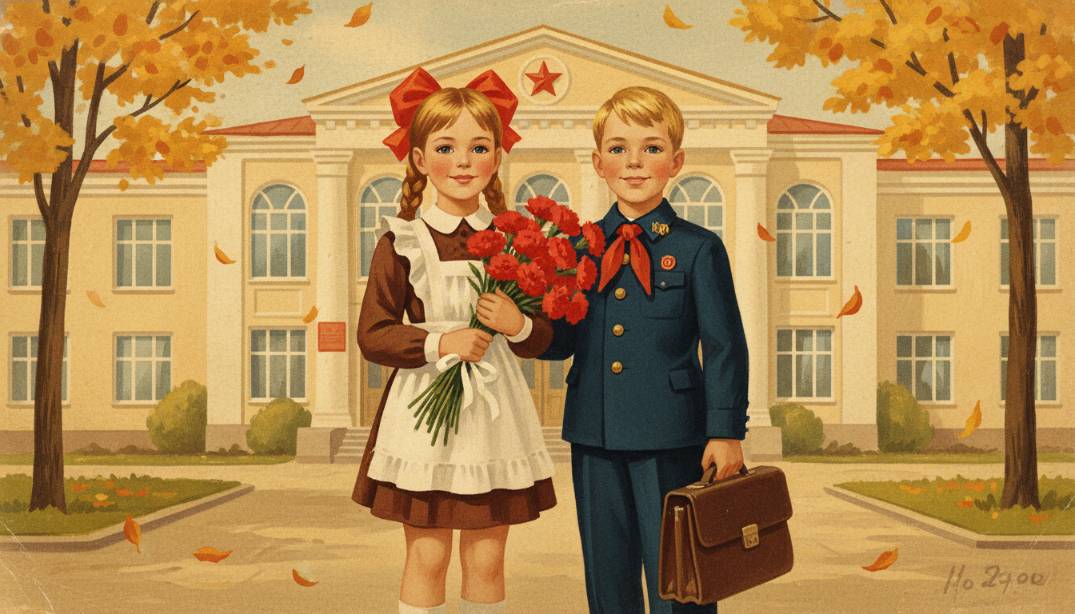
How to create an ideal prompt for a Soviet postcard: we bring back the retro aesthetic with the help of neural networks
Creating images in the style of past years is popular today among designers and fans of nostalgia. In order to get a high-quality result, it is necessary to correctly formulate a request for a neural network, taking into account the peculiarities of the current schedule. In this article, we will understand how to recreate the aesthetics of past years and what details should be added to the description.
What is a prompt
A prompt is a textual description or instruction to the user’s artificial intelligence to perform a task. The accuracy and completeness of this text directly depends on how well the final image will match your idea. In working with visual models, not only the object is important, but also the context, lighting and artistic manner.
When working on visual content, it is important to consider the following elements:
- the main object and ego action in the frame
- stylistic features (for example, the style of the artist or the era)
- color palette and type of lighting
- technical parameters, such as aspect ratio or degree of detail
Video and example prompts
Descriptive instructions are usually used to generate graphics, which can vary from simple phrases to complex multi-layered texts. If your goal is a Soviet postcard, then in the request you need to emphasize the softness of the lines, gouache strokes or a specific polygraphic texture. The style of such works is recognizable thanks to its warmth and optimistic mood.
Here are some directions in which you can compose a prompt:
- story compositions with the participation of people or animals
- landscape sketches, conveying the atmosphere of a certain time of the year
- still lifes with holiday symbols or household items
- abstract decorative elements for greeting cards
For example, a prompt for a Soviet postcard may look exactly like this: “Illustration in the style of artists of the 1960s: Santa Claus walks on a snow-covered forest in a red roof, soft colors, gouache style.” Also popular is the Christmas or New Year plot, which depicts children in the country, forest animals or snow-covered village houses. Each such postcard carries a unique retro charm, which is difficult to confuse with modern digital graphics.
Rules for composing prompts
In order for the neural network to produce the desired result from the first attempt, it is important to observe the hierarchical description. Start with the main object itself (the neural network gives priority to the first word in the token), gradually adding secondary details and atmospheric attributes. Practice shows that an excess of adjectives sometimes confuses the algorithm, so it is better to use concrete nouns and verbs.
To get a quality result, we recommend following this logic:
- Describe the role of AI: “Act as a professional artist-illustrator”
- Describe the central figure and its surroundings
- Add the keyword “Soviet” to set the cultural code of the image
- Specify the technique of execution, for example “lithography” or “pencil drawing”
- Accurate lighting using the words “warm light” or “sunlight”
Where and how to use it
The created images are used in personal greetings, blog design and even in commercial packaging design. Generating content through AI significantly saves time and frees you from searching for rare sources in archives. In the service chataibot.pro you can create a request and receive a ready illustration.
The platform chataibot.pro integrates the capabilities of advanced models, including ChatGPT and visual engines, in one convenient interface. Users can use the site to generate ideas, write texts or create unique graphics without the need for complex software settings. This allows you to implement creative projects of any complexity, be it a New Year’s poster or a complex technical illustration.
If you need to make a series of identical images, it is enough to work out a suitable template once. After that, you can change only the details of the plot, keeping the same visual style of the entire collection. The site has clear navigation, so even a novice user can easily upload their ideas and turn them into quality materials.
Wrong and big solution
A frequent problem is the “hallucination” of details, when the AI incorrectly draws fingers or faces. This happens due to insufficient accuracy of the description or conflicts within the instructions. If the final photograph or picture looks unnatural, try to simplify the task or add a negative prompt (a list of what should not be in the frame).
Sometimes neural networks can mix modern aesthetics and retro elements, creating visual dissonance. To avoid this, clearly fix the time period: for example, “1950s”. If the New Year’s character turned out to be too realistic, add the specification “flat 2D drawing” or “old paper texture”. Industry standards suggest several iterations of editing to achieve an ideal similarity with the original style.
Remember that creating a quality prompt is an experimental process. If the first result did not suit you, change the word order or replace the general description with a more specific example. A systematic approach to testing various formulations will help you quickly master the possibilities of modern technologies.
Considering these features, you can significantly increase the efficiency of your work. If you want to automate content creation and get access to the best AI models in one place, learn more about our services at chataibot.pro and start creating today!
Free access to Chat GPT and other neural networks
Open Chat →