The best prompts for generating photo pairs in neural networks
Free access to Chat GPT and other neural networks
 Open Chat →


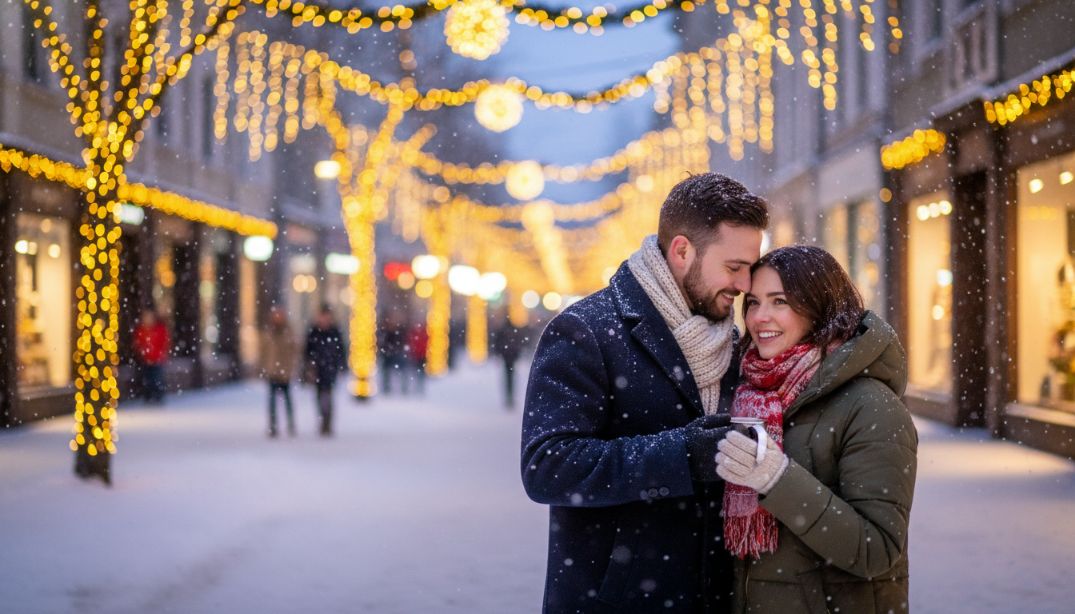
How to Create a Professional Image: A Guide to Prompts for a Couples Photoshoot
Neural networks create realistic images based on text queries. With well-written instructions, you can organize a virtual photo shoot from the comfort of your home. Artificial intelligence allows you to generate shots in any style—from classic portraits to fantasy scenes.
What is a prompt
Users call a text description of a task a prompt. This is a kind of technical specification that the neural network receives for processing. The more accurately and detailed you describe the scene, the higher quality and more consistent the final image will be.
When working with visual content, it’s important to consider several components:
- main subjects and their actions (e.g., couples in love or a couple on a walk)
- environment, lighting, and color scheme
- technical parameters, such as camera angle, depth of field, and detail
- artistic style or imitation of a specific camera model
Types and examples of prompts
Each task has its own approach to description. A simple photoshoot requires specifying clothing and poses, while a themed shoot emphasizes atmosphere. Users often search for a couple’s prompt to capture a shared moment in an unusual location or with a specific aesthetic.
The most common styles users choose are:
- Studio portraits. Emphasis is placed on soft lighting and a clean background.
- Stylized works. Using film effects, cyberpunk, or oil painting.
- Seasonal subjects. For example, a New Year’s project with garlands, snow, and cozy sweaters.
- Story-driven walks. Imitating reportage photography in an urban environment or outdoors.
For example, to create a romantic photo of a couple in the forest, it’s worth specifying the lighting type—“golden hour” or “moonlight.” This will help the neural network better convey the mood. If you’re looking for a high-quality photo shoot, describe the interaction in detail: maybe they’re holding hands or looking at each other.
Prompt Writing Rules
A good result directly depends on the structure of your request. Experienced specialists note that creating a high-quality visual begins with defining the role of AI. You can set the context by specifying that the neural network should act like a professional photographer.
Follow a specific sequence when writing:
- Start with the main subject, clearly indicating whether it’s a couple or a single person
- Add adjectives that describe emotions, such as “happy” or “in love”
- Indicate the setting—a studio interior, a snowy park, or a seashore
- Include clothing details to create a harmonious photo shoot
- End your request with technical specifications, such as 8K resolution or high detail
It’s important to avoid contradictions. If you’re asking for a New Year’s photo, avoid adding summery attributes to the description. Neural networks can get confused, resulting in strange artifacts in the photo. A step-by-step approach allows you to gradually refine the prompt, eliminating unnecessary details and adding the necessary nuances.
Where and how to use
Automating the photo-shooting process using AI is finding applications in various fields. Businesses use images for advertising, developers integrate generation into their apps, and ordinary users create unique content for social media. The chataibot.pro service provides access to modern tools using the Nano Banana model. It handles the generation of faces and complex textures perfectly.
On the chataibot.pro platform, you can realize any idea without having to rent a studio. Simply enter a prompt, and the system will suggest options. This is especially convenient when you need a photo shoot on short notice. You don’t need to install complex software; the entire process takes place in your browser.
Using the neural network on the website is hassle-free. You simply select the desired tool and enter your query. Each new photo shoot is made easier by saving history and the ability to refine previous versions. The platform helps save resources while providing high-quality, ready-made content.
Errors and their solutions
Sometimes the neural network doesn’t produce exactly what you intended. This is often due to the prompt containing too many generic words or logical errors. If the couple in the photo looks unnatural, try changing the description of the poses. Remember that creating a complex group photo requires more attention to the placement of objects in the frame.
A typical problem is “hallucination” of details, when people appear to have too many fingers. In such cases, refining the negative prompt—a list of what shouldn’t be in the frame—can help. If your photo shoot doesn’t turn out well the first time, change the style or try using a different example from the library of successful queries. Gradually learning to work with AI will allow you to achieve consistent results and find new creative solutions for each couple.
Keep in mind that neural networks are constantly evolving. What wasn’t possible yesterday may become possible today thanks to algorithm updates. Regular practice and learning how prompts work will help you become an expert in generative art.
If you want to simplify your visual content creation and gain access to powerful algorithms, visit chataibot.pro. Our platform offers a user-friendly interface and a wide range of tools to bring your ideas to life. Learn more about our services and start creating professional content today!
Free access to Chat GPT and other neural networks
Open Chat →