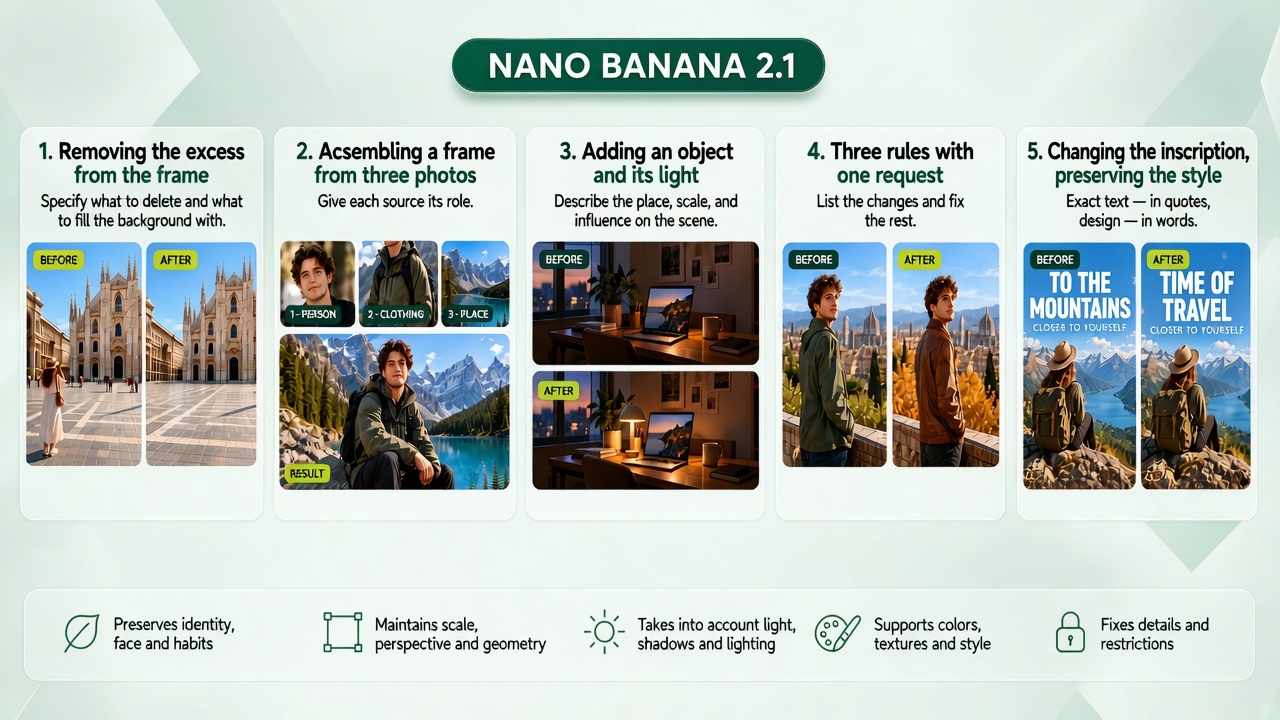
Google has updated its image generator. The model now understands complex prompts better, edits photos more precisely and preserves the details of the original.
To mark the occasion, we’ve put together 5 useful tricks for editing images — based on recommendations from Google’s own developers!
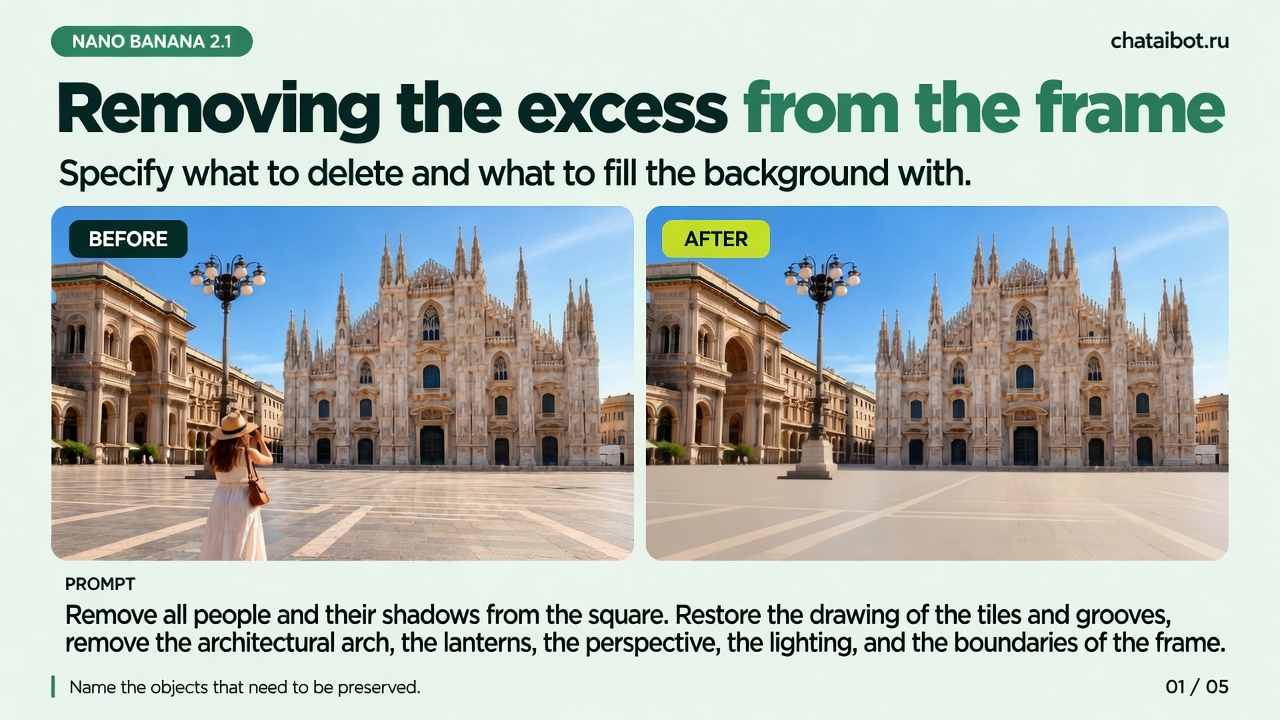
🧹 Remove objects without a trace
«Remove all the people and their shadows from the square. Restore the tile pattern and the hidden parts of the facades. Keep the architecture, streetlights, perspective, lighting and frame edges».
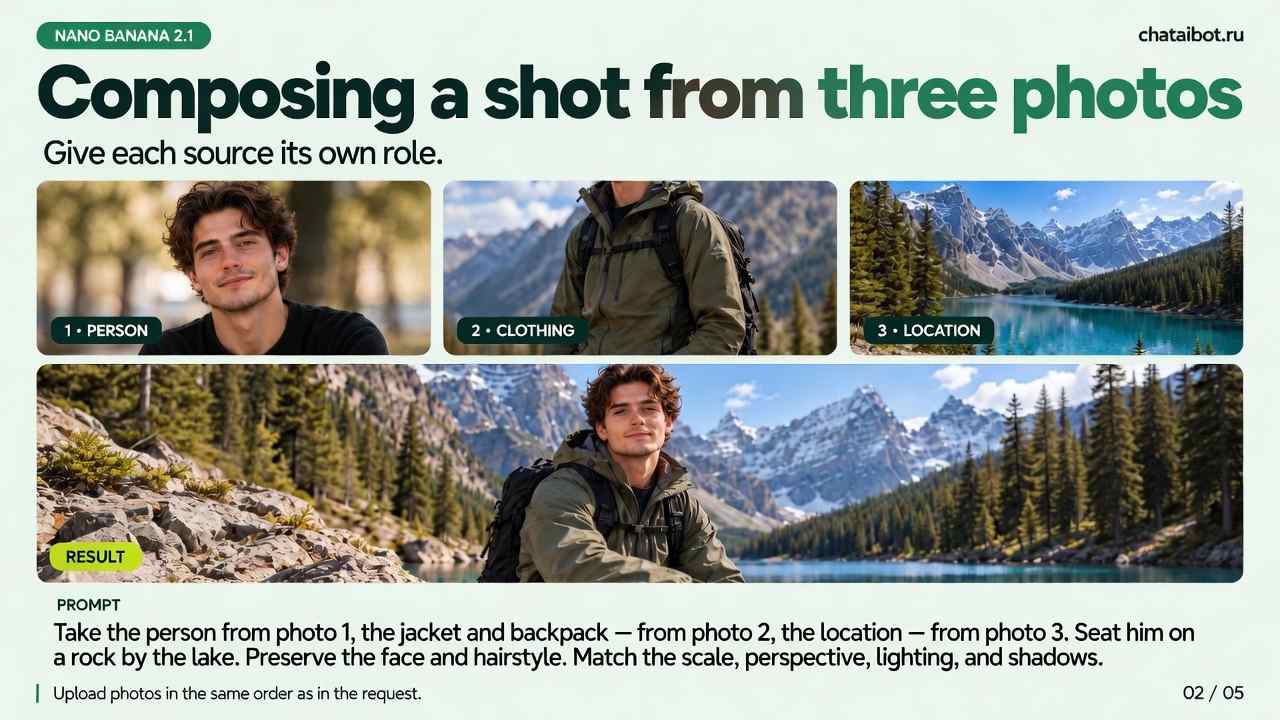
🧩 Combine one image from several photos
«Take the person from photo 1, the jacket and backpack from photo 2, and the location from photo 3. Seat them on a rock by the lake. Keep the face and hairstyle. Match the scale, perspective, light and shadows».
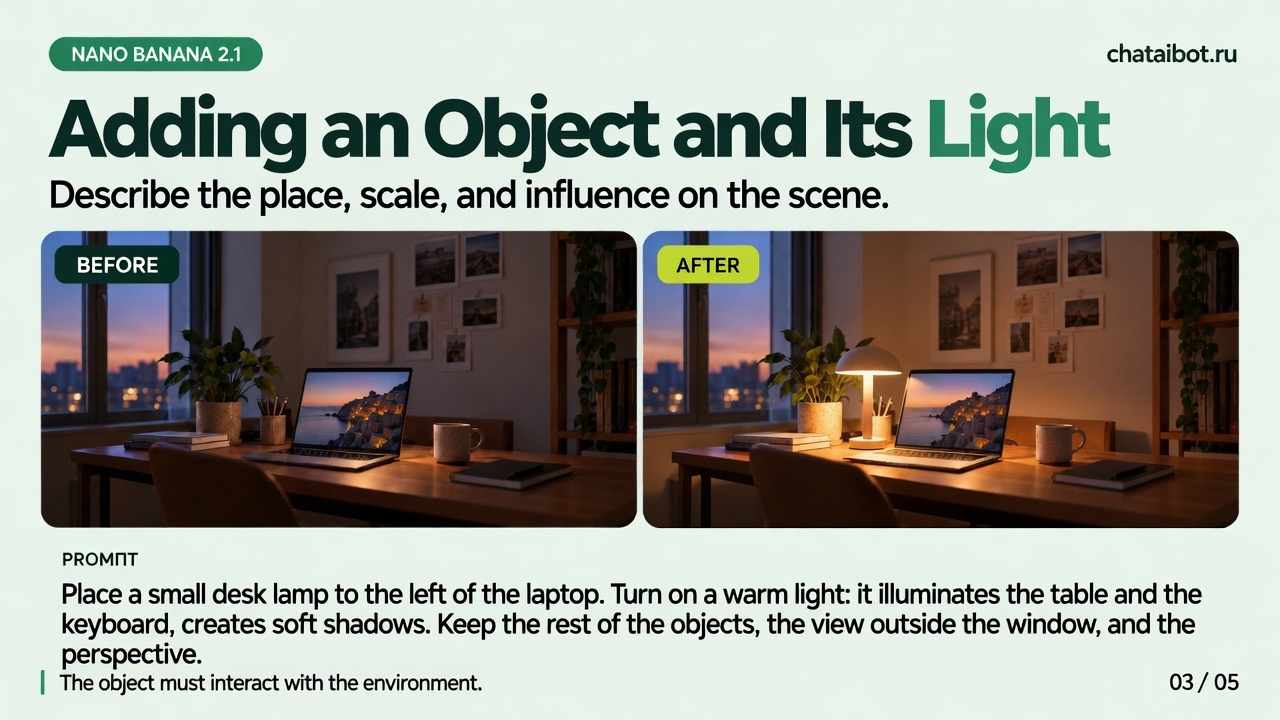
💡 Add objects realistically
«Place a small desk lamp to the left of the laptop. Turn on a warm light: it illuminates the desk and keyboard and casts soft shadows. Keep the other objects, the view out the window and the camera angle».
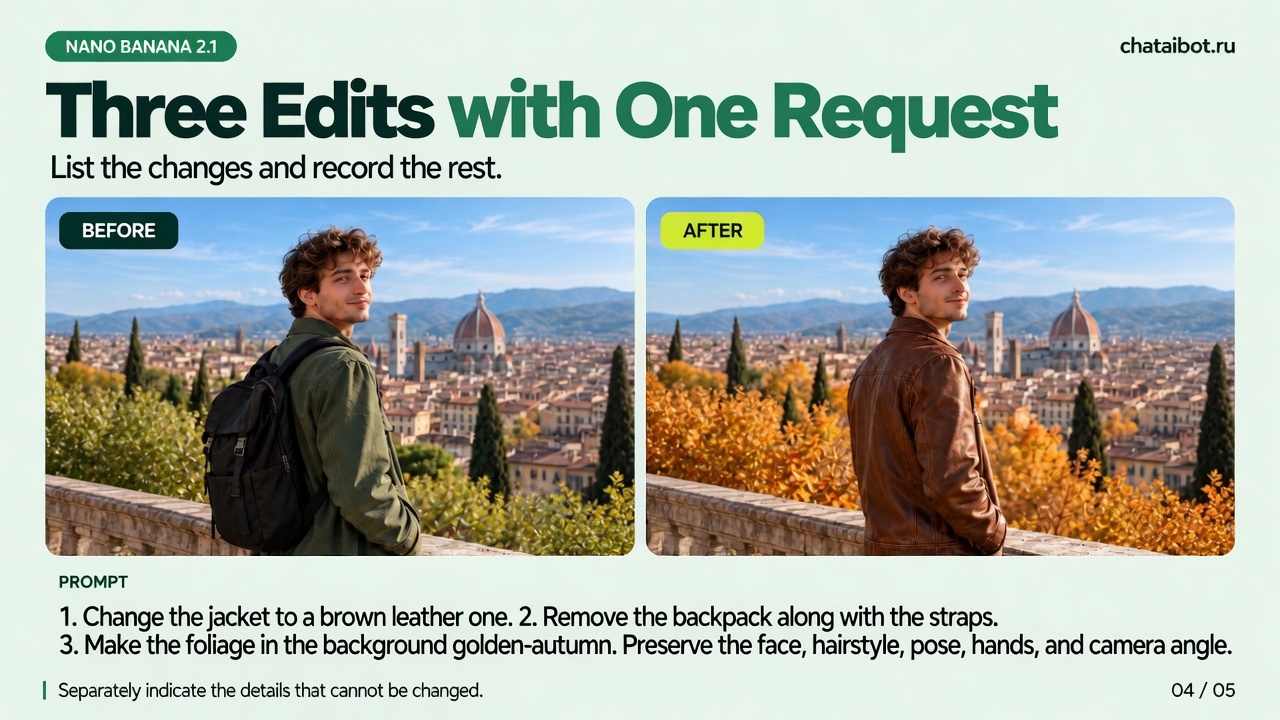
✏️ Make several edits at once
«1. Replace the jacket with a brown leather one.
2. Remove the backpack along with its straps.
3. Make the foliage in the background golden autumn.
Keep the face, hairstyle, pose, hands and camera angle».
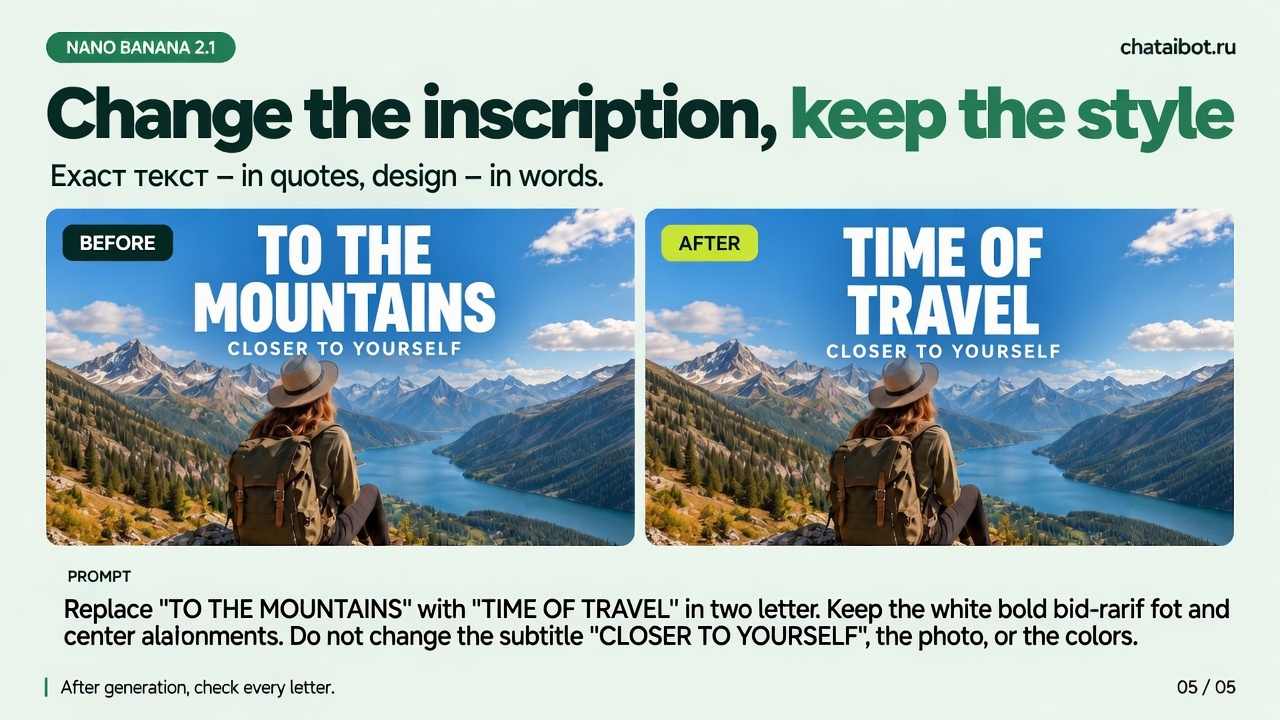
🔤 Change text without breaking the design
«Replace “TO THE MOUNTAINS” with “TIME TO TRAVEL” on two lines. Keep the white bold sans-serif font and center alignment. Don’t change the subtitle “CLOSER TO YOURSELF”, the photo or the colors».
The main secret: the more precisely you explain what needs to change and what should stay the same, the better your chances of getting the result you want on the first try.
Try Nano Banana 2.1 in Chat AI 👇
🌐 Website
Application (on Android)
Application (on iPhone)
Free access to Chat GPT and other neural networks
 Open Chat →


